Charge the night before
Top up all units fully before a race day so you start with a full stint of battery.

Welcome to KartComms. This guide walks you through charging, pairing and using your system — so on race day you can focus on what matters: performance on track.

In the box
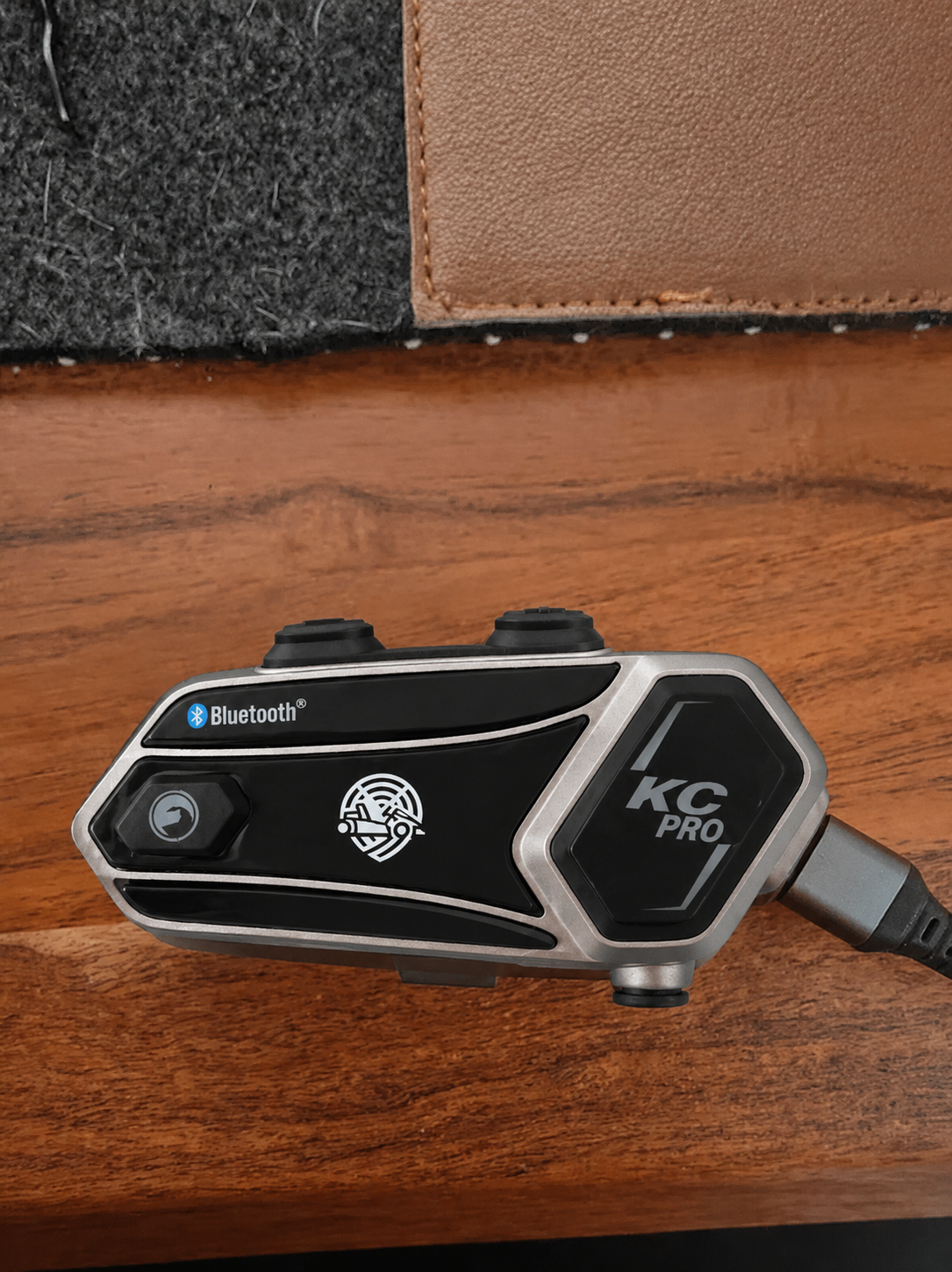
2× KC-PRO Module
Helmet units with integrated comms — one per driver.
1× KC-PRO Headset
Pit-side unit with speakers built in.
1× Hard case
Rugged protective case to store and carry the kit.
Charging & preparation
Make sure all KartComms units are fully charged and ready to deliver reliable performance on track.
Connect the supplied USB-C cable to the charging port on the unit. Make sure the connector is fully seated.
Plug into a 5V USB power source (min. 2A). We recommend a quality USB charger or paddock power hub.
The LED shows solid red while charging. Charging is complete when the LED turns solid blue.
Unplug the cable and refit any protective covers. Store the units in a clean, dry place until your next session.
LED reference
Only use a 5V USB power source. Higher-voltage chargers may damage the unit and will void the warranty.
Charge at room temperature (10–30 °C). Do not charge in direct sunlight or in damp conditions.
Headset setup
Set up the helmet audio so the call is clear from the first lap. A good fit makes all the difference at speed.

Adjust the headset to your liking — the sides slide up to fine-tune the fit around your ears.
Set the boom mic just in front of your mouth, clear of the chin bar, so your voice carries over engine noise.
Attach the KC-PRO module to the helmet mount — no tools required, it clicks into place. Pull the attachment clip forward to make sure it's locked in securely.
Power on and run a quick mic check with a team-mate before heading out.
The headset comes equipped with speakers — plug it onto a module and you are ready to talk.
Pairing the modules
Follow the steps below to pair your driver and pit modules. Once paired, the modules reconnect automatically when powered on.
Step 01
Press and hold the helmet + KC-PRO button for 3 seconds until the LED turns on and stays lit.

Step 02
Hold the + and KC-PRO button for 5 seconds. The LED flashes purple briefly, then switches to an alternating red/blue light.
This clears the existing link and allows a new pairing to be established.
Step 03
Power both modules off again using the same buttons as power-on — press and hold the helmet + KC-PRO button.
Step 04
Power both modules back on the same way.
Step 05
Module A
Hold the small helmet button for a couple of seconds to start pairing.
Module B
Do the same on the second module — hold the small helmet button.
LED status
Reconnecting
Paired modules reconnect on their own. If they don't, follow these steps:
Switch on both modules within range of each other.
In most cases the modules reconnect automatically. If they don't, briefly press the small function button. While connecting, both modules show a synced blue fading light.
Quick tips
Small habits that keep your comms clear and your race day running smoothly.
Top up all units fully before a race day so you start with a full stint of battery.
Check the module is clipped firmly and the speakers sit over your ears before you head out.
Keep the mic close to your mouth and clear of the chin bar to cut wind noise.
Keep the pit unit positioned high and clear of metal for the strongest signal.
Thick concrete and metal structures can weaken the signal — reposition the pit unit if needed.
Return the units to the case between sessions to keep them race-ready.
Endurance race setup
For long races with driver changes, set up your channel and battery rotation so you never lose the call.
Pit-to-track pairing
Keep one module on the pit wall and rotate driver modules between stints on the same channel.
Driver swap
Run two modules on the channel — one on the pit-wall headset, one on the driver.
When you're about to swap, move the module from the pit-wall headset onto the helmet of the driver taking over the stint.
Call the driver in over comms and perform the driver swap.
Put the module from the driver who just came in back onto the pit-wall headset.
Battery rotation
Bring in a freshly charged, pre-paired pair of modules so you never run a stint on a low battery.
| Step | Action |
|---|---|
| 01 | Make sure two fresh modules are charged and paired. Power them on and run a quick mic check. |
| 02 | Fit one fully charged module to the helmet of the driver about to take over. |
| 03 | Call your current driver in off track. |
| 04 | Once they're in, put the second fresh module on the pit-wall headset. |
| 05 | Put the two used modules on charge so they're at 100% for the next swap. |
We recommend swapping to fresh modules every 6 hours.

FAQ
Quick answers to the things teams ask most. Still stuck? Get in touch below.
Up to 14 hours per charge — a full endurance day. USB-C fast charges between sessions.
Up to eight modules on one channel — driver, team-mates, pit wall and crew, with no drop-out.
Yes. The modules and headset are sealed for wet race-day use; spray and damp sessions are no problem.
The low-profile mount is designed for full-face karting helmets and clears the padding without modification.
No. Once paired, the modules reconnect automatically when powered on within range.
Full-circuit range for pit-to-driver and driver-to-driver comms, with no drop-out across the track.
Yes. The system is modular — add KC-PRO modules to the same channel any time, up to eight in total.
Our team is standing by to help with setup, troubleshooting, or designing the right system for your team.
support@kartcomms.com